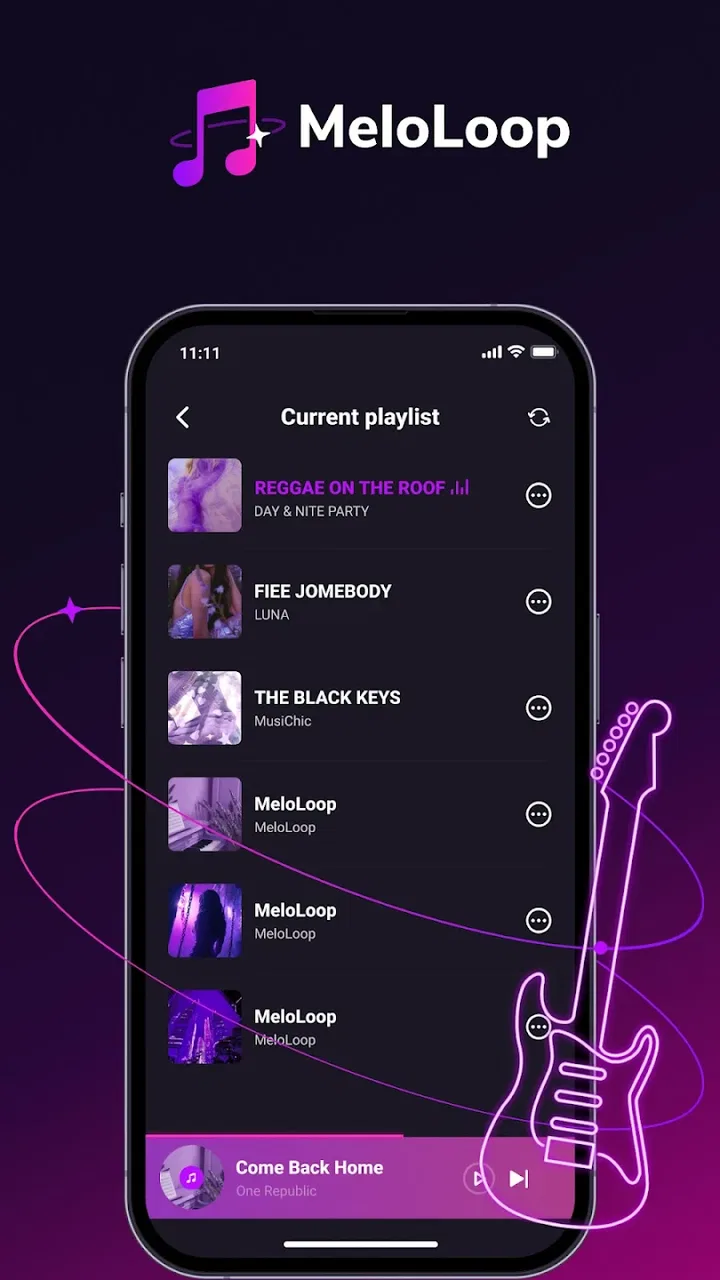
MeloLoop-Music Player&Offline
- 4.2
- Rating
- 5.00M
- Installs
- Free
- Price

 Analysis by App-foxy
I approached MeloLoop-Music Player&Offline as a practical music and audio app rather than assuming that its short “MeloLoop” label explained everything. The first impression is straightforward: it is a free player from JIMMY SMALL.inc VIDEOSTORY, aimed at people who want their listening routine to feel less tied to a constant connection. That makes it interesting for commutes, weak-signal areas, and casual listening, but it also means the important question is not simply whether it plays music. The real question is how comfortable the whole experience feels when the network is unreliable, unavailable, or consuming more mobile data than I want.
Its public reception gives it a reasonable starting point. MeloLoop has a 4.2 average from around 4.7 thousand ratings and has passed five million installs, which suggests that it has reached a substantial audience without making it a perfect fit for everyone. I also like that its content rating is Everyone, so it is presented as an app suitable for a broad audience. It was released on June 5, 2025, and the current version is 1.1.2, with Android support beginning at version 7.0. Those details matter if you are using an older phone or deciding whether this is a sensible replacement for a more established player.
How the connection changes the listening experience
I focus here on the practical handoff between being online and listening without a connection, because that transition is where an offline-oriented player has to earn my trust. I’d plan the library and test a few familiar tracks before leaving, then see whether the listening routine stays simple when the signal drops. That preparation also makes it easier to judge where MeloLoop fits alongside the other music apps I use.
You May Also Like

 Blood Strike: 2.5 Anniversary
Blood Strike’s Loadouts Turn Every Drop Into a Tactical Gamble
A close look at Blood Strike’s custom loadouts: how fast access to signature weapons reshapes its battle royale rhythm, rewards preparation, and narrows the gap between fights.

 Pandora - Music & Podcasts
Pandora’s Music Is Easy to Start, but Harder to Recover
Pandora’s strength is its low-effort path from a seed to a station. Its weak spot is how much confidence it asks you to place in connection, setup, and quiet recovery.

 8 Ball Pool
 Is Built on Rivalries, Rematches, and Routine
A close look at the rivalries, rematches, shared routines, and unanswered safety questions that turn a quick pool match into a persistent mobile community.

 Samsung Music
’s Quiet Strength Is Playing What You Already Own
Its reach comes less from spectacle than from dependable access to a personal library. That simplicity is both the app’s strongest retention engine and its ceiling.

 AccuWeather: Weather Radar
AccuWeather Review: A Quick, Clear Forecast for Everyday Decisions
For everyday plans, the best forecast is the one you can understand quickly. AccuWeather makes rain timing, radar, and local conditions easy to act on, with a few trade-offs.

 Hill Climb Racing
Why Hill Climb Racing Still Turns Crashes Into One More Run
A tiny car, a bumpy hill and one more upgrade: Hill Climb Racing keeps resurfacing because its simple chaos makes every near-miss feel personal.
More From Our News Desk



What I would check before relying on it away from home
The word “Offline” in the app’s name naturally sets an expectation, but I would separate that expectation into two stages. A player can be useful without a connection only when the music it needs is already available on the device or has been prepared for that situation. I would therefore test my own library before a long trip rather than assuming that installing the app automatically solves every offline listening need. That small test is more valuable than a quick glance at the store summary, because it tells me whether my personal listening workflow fits the app.
My preferred check is simple: open the player while connected, select music I know is stored locally, then switch to airplane mode and try the same tracks. I would also close and reopen the app during that test. If the player returns to the same place smoothly, that is a useful sign for travel. If it needs a connection to rebuild its library or repeatedly shows empty screens, I would treat it as a less dependable travel companion even if individual files can play without a network.
This is one of the less obvious trade-offs with any app centered on local playback. The song itself may be available, while artwork, search results, library organization, or other surrounding information may behave differently without connectivity. For a quick listening session, that distinction may not matter. For someone who likes to browse, sort, or discover music while disconnected, it can shape the entire experience.
At home, the advantages are less dramatic
On a stable home connection, MeloLoop competes with familiar choices in a different way. Streaming services are usually better for discovery, editorial playlists, synchronized libraries, and switching between devices. A traditional phone player can be better for people who only need a dependable way to open local files. MeloLoop sits between those habits: it is most appealing when I want a focused music player and want to reduce the role of the network in ordinary listening.
That middle position is useful, but it also creates a clear limit. I would not choose it as my only music app if my routine depends on finding new releases, following algorithmic recommendations, or keeping a large cloud library available everywhere. Those tasks belong more naturally to a streaming platform. I would choose this app when the music I care about is already within reach and I want fewer interruptions from connection quality, loading, or mobile-data concerns.
A realistic commute test
Imagine a morning commute that begins on home Wi-Fi, passes through a crowded station, and ends in an office where reception is inconsistent. With a conventional streaming app, I need to think ahead about downloads, account access, and whether the chosen content is actually available for the journey. With MeloLoop, my first step would be to prepare a small group of familiar tracks on the phone and verify playback before leaving.
That workflow changes the app from a general music destination into a dependable part of a routine. I would not spend the commute searching for something new. I would use it for a known set of albums, long recordings, or background music that I have already selected. The benefit is psychological as much as technical: once the test succeeds, I can stop watching the signal indicator and pay attention to the journey.
The weak point appears when my plan changes. If I suddenly want a song that is not ready on the device, a local player cannot offer the same instant breadth as a streaming catalog. That is why I see MeloLoop as strongest alongside a discovery service, not necessarily as a universal replacement for one.
Short sessions on mobile devices
Mobile listening is not always a long trip. Sometimes I want music while walking to a shop, waiting for an appointment, or doing a quick household task. In those situations, a player that gets me to local audio quickly can be more convenient than opening a service built around online catalogs. I appreciate that this kind of use does not require me to turn a five-minute listening session into a search-and-scroll activity.
There is also a practical benefit for older devices. Because the app supports Android 7.0 and newer, it is not restricted to only recent phones. That does not guarantee identical performance on every handset, but it makes the app relevant to people who keep an older device as a backup or dedicated music phone. I would still leave room for differences in storage speed, manufacturer software, and how each phone handles background activity.
For a dedicated listening phone, I would organize a modest selection rather than copying everything at once. A smaller library is easier to navigate when I am standing outside with one hand occupied. It also makes it easier to notice whether the player remembers the last session and whether my preferred albums are easy to reach without depending on a search connection.
Where mobile friction may show up
Offline-oriented listening does not remove every mobile annoyance. The phone still needs enough battery, storage, and a readable library. If my collection contains vague filenames or duplicate versions of the same recording, the player cannot fix that underlying mess by itself. I would clean up the folders or tags first, then judge the app on how well it presents the material I actually use.
I would also avoid making a last-minute change before boarding a train or entering a basement. A connection-dependent action can fail at exactly the moment I need it most, and a player cannot compensate for content that was never made available locally. My practical rule is to prepare earlier than feels necessary, then use the app as a playback tool rather than as an emergency downloader.
What happens when the signal disappears
The most revealing test for a connectivity-focused app is not a perfect Wi-Fi session. It is the transition from connected to disconnected. I would begin a track at home, move into airplane mode, lock the phone, and return to the app later. This tests more than basic playback: it shows whether the current session survives a network change and whether the interface remains understandable when some online-dependent elements are no longer reachable.
I would repeat the test after a phone restart because recovery matters more than a single successful play. If the app opens cleanly and lets me reach music already on the device, that is the kind of behavior I want from a travel player. If I need to reconstruct the library or wait for a connection before doing anything useful, I would keep a second option installed.
When an app does not behave as expected, I prefer a calm recovery routine. First, I confirm that the audio file itself is stored locally. Next, I reconnect briefly if possible and allow the library to refresh. Then I close and reopen the player before changing settings or moving files around. This avoids blaming the app for a file-location problem and avoids making several changes at once, which makes the original issue harder to understand.
Preparing for a failure instead of discovering it later
A useful habit is to keep a small “known good” selection. I would choose a few tracks that play correctly, test them without a connection, and leave them in a familiar location. This gives me a fallback when a larger collection contains an unusual format, an incomplete file, or confusing metadata. It is a simple but non-obvious advantage of thinking in terms of recovery: I do not need the entire library to be perfect before the app becomes useful.
I would also test the player after updating it. The current version is 1.1.2, and updates can improve behavior, change layouts, or affect how a library is refreshed. Keeping an app current is usually sensible, but anyone who depends on a particular travel routine should verify that routine again after an update rather than assuming that yesterday’s offline test still represents today’s experience.
Managing data without turning listening into a chore
If I am trying to control mobile-data use, the safest approach is to do preparation while connected to Wi-Fi and then listen to material that is already available on the phone. I would avoid treating every search, refresh, or library action as harmless simply because playback itself may be local. The important distinction is between playing an existing file and asking the app to retrieve or update something.
This is especially relevant on a limited plan. I would prepare music before leaving home, switch to mobile data only when I deliberately need an online action, and use airplane mode as a quick confirmation that my planned session is genuinely independent of the network. That test is more reliable than guessing from an app name or from a general promise about offline listening.
People often focus on data consumption and forget storage. Local listening requires room for the audio files, and a phone with very little free space can become frustrating even when the player itself is lightweight. I would keep the collection intentional: albums I replay, playlists for regular journeys, and a few backup choices. That gives me the convenience of local access without turning the phone into an unmanageable archive.
There is a second data-conscious benefit: fewer accidental online detours. Streaming apps are designed to keep offering more content, which is great for discovery but can encourage browsing when I only wanted background music. MeloLoop’s more focused role can help me stay with a prepared selection. The trade-off is obvious: less spontaneous variety in exchange for a more controlled listening session.
Who will get the most from it
I think MeloLoop is a good match for listeners who already keep music on their Android phone and want a straightforward way to use it during commutes, flights, walks, or places with unreliable reception. It also makes sense for someone who wants a free music and audio app with an Everyone age rating and broad compatibility, especially if a newer phone is not part of the plan.
It is less suitable for someone whose music life is mainly online. If I depend on a huge streaming catalog, synchronized progress across several devices, social sharing, live recommendations, or instant access to unfamiliar artists, I would stay with a full streaming service. If I only need a minimal local player and already like the one built into my phone, installing another app may not add enough value.
The app’s five-million-plus install reach and 4.2 average suggest that many people find its basic direction useful, but those figures should not replace a personal test. Music libraries differ, phones behave differently, and offline routines are unforgiving of surprises. I would judge it by the tracks I actually carry, the places I actually travel, and how quickly I can recover when the connection changes.
My practical setup for everyday use
If I were setting it up for regular use, I would begin with a small collection rather than my entire library. I would verify that the files appear with sensible names, play several tracks from different albums, and test the app after disconnecting. Then I would use it for a normal day: one short session, one longer session, and a restart between them.
That process answers several questions that a store page cannot answer for my particular phone. Can I find my regular music quickly? Does playback continue when reception disappears? Does the app recover after being closed? Do I have enough storage for the collection I want? Is the interface comfortable when I am moving rather than sitting at a desk? These are the details that decide whether a player becomes part of my routine.
I would keep a streaming app available for discovery and use MeloLoop for prepared listening. That combination avoids forcing one tool to do two different jobs. The streaming service handles variety when I am connected; the local player handles predictability when I am not. For me, that is a more realistic comparison than declaring one app universally better.
My connectivity verdict
MeloLoop is most convincing when I treat it as a focused music player for controlled, mobile listening. Its free price removes a major barrier, its Android 7.0 minimum keeps it accessible to older devices, and the app’s offline-oriented identity makes it worth testing for commutes and weak-signal environments. I especially like the idea of preparing a dependable selection, checking it in airplane mode, and then listening without constantly monitoring the network.
At the same time, I would not mistake that focus for the limitless discovery experience of a streaming platform. The app is not the right choice for every listener, particularly those who want cloud-based breadth, recommendations, or effortless access to music that is not already ready on the phone. Its success depends on preparation, local organization, and a sensible recovery plan when something does not play as expected.
My recommendation is straightforward: try it with the exact music and travel situation you care about. Give it a proper disconnected test, not just a quick session on Wi-Fi. If it opens your local listening routine cleanly and helps you avoid unnecessary network dependence, that practical reliability is MeloLoop’s strongest reason to stay installed. If your priority is constant discovery and a large online catalog, a dedicated streaming alternative will serve you better.
For my use, the app works best as a companion rather than a total replacement. It gives prepared music a clear place on the phone, keeps the listening experience more predictable, and makes connectivity something I can plan around instead of something that controls every session. That is a modest goal, but for the right listener, it is exactly the useful one.
FAQs for MeloLoop-Music Player&Offline
01What features does MeloLoop-Music Player&Offline offer?
MeloLoop-Music Player&Offline offers a range of features including offline playback, customizable playlists, and an intuitive user interface. Users can enjoy high-quality audio and a variety of equalizer presets to enhance their listening experience. The app also supports multiple audio formats and provides seamless navigation for music lovers.
02Is MeloLoop-Music Player&Offline available for both Android and iOS?
Yes, MeloLoop-Music Player&Offline is available for download on both Android and iOS platforms. Users can find it on the Google Play Store for Android devices and the Apple App Store for iOS devices. This cross-platform availability ensures that a wider audience can enjoy its features.
03Does MeloLoop-Music Player&Offline require an internet connection for playback?
No, one of the key features of MeloLoop-Music Player&Offline is its ability to play music offline. Users can download their favorite tracks and listen to them without an internet connection, making it ideal for travel or areas with limited connectivity.
04Are there any in-app purchases or advertisements in MeloLoop-Music Player&Offline?
MeloLoop-Music Player&Offline offers a free version that includes some advertisements. However, users have the option to upgrade to a premium version via in-app purchases to remove ads and unlock additional features, such as advanced equalizer settings and enhanced audio quality.
05How user-friendly is the interface of MeloLoop-Music Player&Offline?
MeloLoop-Music Player&Offline prides itself on having a user-friendly interface designed for ease of use. The app features straightforward navigation, easy access to playlists, and a clean design that enhances the overall user experience. Both new and experienced users will find it simple to navigate and customize their music library.
Pros
- Intuitive and user-friendly interface.
- Excellent sound quality and clarity.
- Supports a wide range of audio formats.
- Offline playback without internet needed.
- Customizable equalizer settings.
Cons
- Contains occasional ads during use.
- Limited cloud storage integration.
- No built-in lyrics feature.
- Frequent updates can be disruptive.
- Lacks social media sharing options.

MeloLoop-Music Player&Offline
Gallery